
Sony Guides
Nikon Guides
Canon Guides
Other E-Books
Advanced
Compact
Digital Cameras
Ten Steps to Better dSLR Photography

Sell Full Stop Photography
E-books through
the E Junkie Affiliates Program
Would you like to earn commission for referring sales of Full Stop e-books and dSLR camera guides from your website or blog? Sign up as an E-Junkie Affiliate, use the provided personal referral code in your links, tell your readers about Full Stop e-books and add Full Stop graphics to your site, and earn 20% commission on Full Stop e-book sales via E-Junkie that you refer.
Affiliates are paid monthly via PayPal, receive a review copy of the latest e-books upon request, and are encouraged to write reviews of them on their website or blog.
Read below for how to join the affiliate program with E Junkie. You will need to send me the appropriate tax forms if you earn over $600 in affiliate fees per year. Information and links are below in the Taxes and Tax Forms section. The Full Stop affiliates program is managed and operated by Full Stop Media, LLC.
Affiliate Sign-up Process
Step by step details for how to sign-up as an affiliate with E Junkie:
-
Please read this entire page and ensure that you understand all the instructions, terms and conditions stated. A PDF copy of this page can be viewed and printed here:
http://www.dojoklo.com/Full_Stop/forms/Full_Stop_E-books_Affiliates.pdf
-
Please contact me - doug(at)dojoklo.com - to let me know you are signing up, and provide me with links to your site(s) where you will be discussing, reviewing, or advertising my e-books.
-
If you agree to the terms and conditions, click this link to the E Junkie affiliate sign up page:
https://www.e-junkie.com/affiliates/?cl=136239&ev=3c65451e41
-
Complete the Register section.
-
An activation email will be sent to you. When this email arrives, copy and paste the activation code into the activate field on the E-Junkie website.
-
Complete the Profile Settings section by filling in your company name or personal name if you are an individual and enter the email address associated with your PayPal account. You will receive your affiliate earnings by the 15th of every month for the previous month.
-
Click on affiliate admin on the E-Junkie menu bar (be sure you are in the Affiliates tab), and you will see the Manage Your Affiliate Account page. Select Get Affiliate Code.
-
Under Select Merchant, choose Douglas J. Klostermann Photography, then click the Get Affiliate Code button.
-
Copy the Get Common Affiliate Hop Link code provided in the yellow box. Insert this HTML code wherever you wish to link to Full Stop e-books. Or you can extract the URL from this code and use it in your links and and with Full Stop graphics (learn more about this below). This code will bring readers to the Full Stop website, and will place a cookie in their computer that will register any purchases they make. When they purchase a Full Stop e-book through E Junkie from this website, you will earn 20% commission! Or you can use the Product Specific Affiliate Links in the same manner to link to the product page of a specific e-book. See below for further insturctions.
If
you have any questions, first consult the E-Junkie Affiliates Help Page:
http://www.e-junkie.com/ej/help.for-affiliates.htm
or else contact me at doug@dojoklo.com
Terms and Conditions
Affiliates will be paid through PayPal by the 15th of the month for the prior month's commissions. Payments will be based solely on the sales credited to the affiliate as reported by E-Junkie. Your sales can be viewed in the E-Junkie affiliate admin screen. Click View/ Download Earning Report then View Sales to see your reported and credited affiliate sales. You will not be paid commissions on reported sales which were later returned, reversed, and/ or refunded (this is rare, though it does occur occasionally). The E-Junkie reports should reflect the actual current total, taking returns into account. Affiliate referral sales are credited to the affiliate and commissions paid only with e-books sold through E-Junkie and do not include sales by other vendors and sites including but not limited to: Amazon.com, BarnesandNoble.com, Smashwords, Apple, Kobo, or Sony.
Affiliate share (commission) is 20% of purchase price unless other arrangements have been made between the affiliate and Full Stop.
It is the affiliate's responsibility to ensure that all links include the proper codes and function properly so that sales resulting from those referrals are properly and automatically reported to E-Junkie and credited to the affiliate. Douglas J. Klostermann, Douglas J. Klostermann Photography, and Full Stop take no responsibility for improperly functioning links and / or referral sales not credited to the affiliate by E-Junkie.
Relationship between an affiliate and Full Stop can be terminated by either party at any time.
Prohibited Web Site Content, Keywords, or types of content that affiliates are prohibited from using in web site content or metadata:
Obscene content, Illegal content, Discriminatory content, Defamatory content, Hate messages or content, Religious propaganda or affiliation, Political propaganda or affiliation, Casino / betting sites, Adware / spyware sites, Unrelenting pop-ups, Pop-ups that issue virus warning, Facilitation of illegal / obscene products or services, Cash back incentive offers or "points".
Please do not use dojoklo, dojoklo.com, Full Stop, Full Stop Media, or any variations of misspellings of these in your domain name, metadata, or search marketing campaigns.
Please contact me if you have any questions at doug@dojoklo.com
Taxes and Tax Forms
You
are solely responsible for any and all tax obligations, if any, due to the IRS
in the United States (plus taxes due in your country of residence), arising from
or in connection with your participation in this affiliate program.
U.S.
Residents:
You
are responsible for declaring and paying taxes on your affiliate income. If you
earn more than $600 in affiliate income per calendar year, I will need to submit
the appropriate forms to the IRS. If
you are a US citizen or US Resident Alien, I will need for you to fill out,
sign, and send me a W9 form:
Obtain
W9 form here:
http://www.irs.gov/pub/irs-pdf/fw9.pdf
If
you earn over $600 in fees per calendar year, I will send you and the IRS a
1099-MISC form in January. The commission fees are categorized as Nonemployee
Compensation on the form.
Non-U.S
Residents
If
you earn more than $600 in Full Stop affiliate income and are not
a US citizen or US Resident Alien, you will need to fill out and send me the Declaration
of No US Activities form and the W8BEN form (both below). You will be
responsible for any applicable US and foreign taxes on this income. If
required, I will send you and the IRS the 1042-S form in January (typically not
required if you have sent me the Declaration
of No US Activities form).
Obtain
the Full Stop Certification of No United States Activities form below.
Please print out the form, sign, scan, and send it to me:
http://www.dojoklo.com/Full_Stop/forms/Certification_Of_No_United_States_Activities_to_sign.pdf
Obtain
IRS W8BEN Form here:
http://www.irs.gov/pub/irs-pdf/fw8ben.pdf
You may wish to obtain a US taxpayer ID number for the W8 form, called an ITIN. To apply for an ITIN, file Form W-7 with the IRS. It usually takes 4-6 weeks to get an ITIN. Information about the ITIN and the form to apply for it are below.
Learn
about ITIN tax identification number:
http://www.irs.gov/Individuals/General-ITIN-Information
Form
to apply for an ITIN tax identification number:
http://www.irs.gov/pub/irs-pdf/fw7.pdf
Affiliate Tips
-
Test your affiliate links to make sure they’re working properly by clicking your link or image and making sure it goes to the Full Stop website.
-
New affiliates please contact me to let me know which current e-book you would like to have sent to you for a review copy.
-
Write a review or blog post about the e-books, and use your affiliate link whenever you refer to the e-book in your post. Rather than just summarizing the content, also discuss how you find the book to be helpful. Tweet and Facebook about your review to bring readers to your blog.
-
For camera guides, write a review soon after the release of a new guide, when people are researching the latest camera or eager first adopters want to learn to use their new camera. Full Stop guides typically come out just weeks after a new dSLR camera has been released, months earlier than printed camera guides.
-
Write "Top Ten Tips" type blog posts about one of the cameras or other e-book subject, including what you or a new user can learn with the Full Stop guide, and link to the guide.
-
Use the graphics provided here on your website and blog, including the proper link code. See the example codes to learn how to put the graphics and codes into your website and even into Wordpress sidebar widgets.
Creating Links
You can use either a Common Affiliate Hop Link Code to link to the main landing page of the Full Stop website, or use a Product Specific Affiliate Link to link directly to the product page of a specific e-book.
Common Affiliate Hop Link Code
Here is an example of what your Common Affiliate Hop Link code will look like, although I've replaced some of the numbers and codes with X's. Be sure to use your full personal Hop Link copied from E-Junkie as described above.<a href="https://www.e-junkie.com/ecom/gb.php?cl=XXXXXX=ib&aff=XXXXXX" target="ejejcsingle">Click here to visit Douglas J. Klostermann Photography.</a>
Simple Link
If you insert this HTML code into your website, you will create a link that looks like this:
Click here to visit Douglas J. Klostermann Photography.
To change what the link text says, change the part of the code highlighted in yellow here:
<a href="https://www.e-junkie.com/ecom/gb.php?cl=XXXXXX=ib&aff=XXXXXX" target="ejejcsingle">Click here to visit Douglas J. Klostermann Photography.</a>
You can write whatever you want, such as:
Learn more about the Nikon D7000 Experience e-book here
or
Click here to see all the Full Stop camera guides.Create Your Own Hyperlink
You can also extract the URL link from the code, which is the the part between the quotes highlighted in blue below, and use that to insert a hyperlink in whatever appropriate text you wish. Or use that URL as the hyperlink for one of the graphics provided below:
<a href="https://www.e-junkie.com/ecom/gb.php?cl=XXXXXX=ib&aff=XXXXXX" target="ejejcsingle">Click here to visit Douglas J. Klostermann Photography.</a>
Never change this part of the code, as it includes your affiliate information.
For example, you can insert one of the graphics as an image into a blog post, then insert a hyperlink for that image, using that part of your Hop Link code highlighted in blue as the hyperlink. Remember, use your personal Hop Link code, not this example one here.
Create a WordPress Sidebar Widget
To create a WordPress sidebar or footer widget with one of the graphics below and your link code, place a Text Widget in your sidebar or footer, title it if you wish or leave that space blank, and modify and insert a code similar to this into the widget text space:
<a href="https://www.e-junkie.com/ecom/gb.php?cl=XXXXXX=ib&aff=XXXXXX" target="_blank">
<img class="aligncenter" src="http://www.dojoklo.com/Full_Stop/graphics/Full-Stop-banner-200x335.jpg" alt="Full Stop Photography E-books" border="0"/></a>The part highlighted in blue is the URL link from your personal Affiliate Hop Link code that you insert, and the part highlighted in green is the location code for the image you wish to use (see below). Be sure to use one of the graphics that is not wider than your sidebar, perhaps a 200 px wide image. If you have downloaded and saved the image somewhere, such as in your WordPress image library, you can use that image's File URL in the green highlighted part of the widget code.
Product Specific Affiliate Links
-On the E-Junkie website (http://www.e-junkie.com/) click the Affiliates tab at the top right.-Select affiliate admin on the menu bar under the tabs.
-Under Manage Your Affiliate Account select ·Get Affiliate Code.
-At the Select Merchant pull-down menu, select Full Stop. E-Book Publishing and click the Get Affiliate Code button.
-At the Get Product Specific Affiliate Links pull down menu, select the individual e-book and click the Get Affiliate Code button.
-Copy the code provided and use it as a direct link to that e-book product page.
Again, it is the affiliate's responsibility to ensure that your links include the proper codes and function properly so that sales resulting from your referrals are properly and automatically reported to E-Junkie and credited to you. Douglas J. Klostermann, Douglas J. Klostermann Photography, and Full Stop take no responsibility for improperly functioning links and / or referral sales not credited to an affiliate by E-Junkie.
Affiliate Graphics
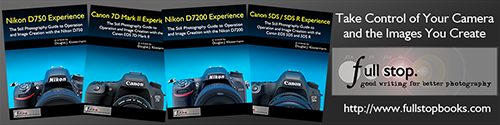
Affiliate graphics, including book covers and banners that you can download and place on your website and blog, have been moved to their own page listed below. I also provide zip files with the cover and images, for each new book, upon request.
http://www.dojoklo.com/Full_Stop/affiliate-graphics.htm
Please contact me if you have any questions at doug@dojoklo.com
Home | Contact | Affiliates | Privacy Policy | FAQ | About | Press Releases
Copyright - Douglas J. Klostermann / Full Stop Media, LLC - all rights reserved.
All images and content on this site are protected by full copyright by Douglas J. Klostermann and Full Stop Media, LLC.
No images or text may be used without written permission of the author and artist.